How do I let my team use SignZA?
On the Business plan you get 3 logins: you and 2 staff. You all share 150 documents a month. You add each person by email under Manage team, and each person logs in with their own email.
Steps
- Click Manage team in the sidebar. The page opens with the line Manage your team's seats and shared document pool, and a seat count such as 1/3 seats.
- Click Add member.
- Type your colleague's email address in the Email address box.
- Click Send invite. If the address is new to SignZA, SignZA emails them an invite.
- Look at the Team members table. It lists each person's email, how many documents they have used this month, and whether they are the Owner or Active.
- Look at the Documents used card. It shows how many of the 150 documents your team has used, and how many remain.
- Open Documents and switch on Show the whole team's documents. Your staff's documents join the list, with the sender's name next to each title.
- Pick a name in the list next to the switch to see one person's documents. The choices are Everyone, You and each staff member.
- Click a document to open its panel. Click Open document to read it, and Download signed PDF if it is signed.
- To remove someone, click Remove on their row in Manage team, then click Remove member. Their seat is free straight away.
Good to know
- Manage team shows in the sidebar for the team owner only.
- Staff you add do not see a Billing tab, so the bill stays with you, unless they already pay SignZA by card themselves.
- Only the person who sent a document can send a reminder or void it.
- The documents a staff member sent still show in your team list after you remove them.
Questions and answers
How many people can use SignZA on the Business plan?
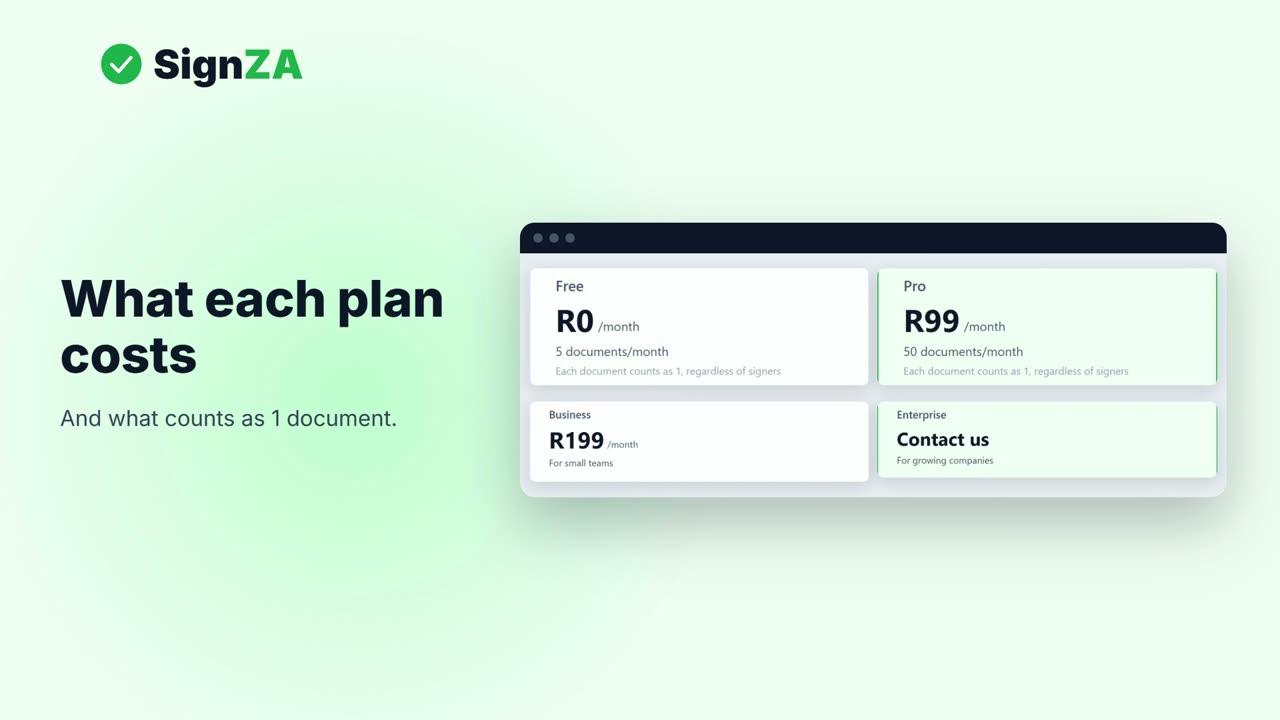
Three: you and 2 staff. The Business card on the pricing page reads 1 admin + 2 team members.
How many documents can the team send?
The whole team shares 150 documents a month. The Documents used card shows how many are used and how many remain.
Can I see what my staff send?
Yes. Switch on Show the whole team's documents on your Documents page. You can open any of them, and download the ones that are signed.
Can I send a reminder for a document my staff member sent?
No. Only the person who sent a document can send a reminder or void it.
What happens to a staff member's documents when I remove them?
Their seat is free straight away, and the documents they sent still show in your team list.
Next video
 Next in the seriesHow much does SignZA cost, and what counts as one document?